Install Smartcric on your iPhone or iPad
Add Smartcric to your Home Screen so it opens like an app. There is nothing to download and it takes about a minute.
1Open in Safari
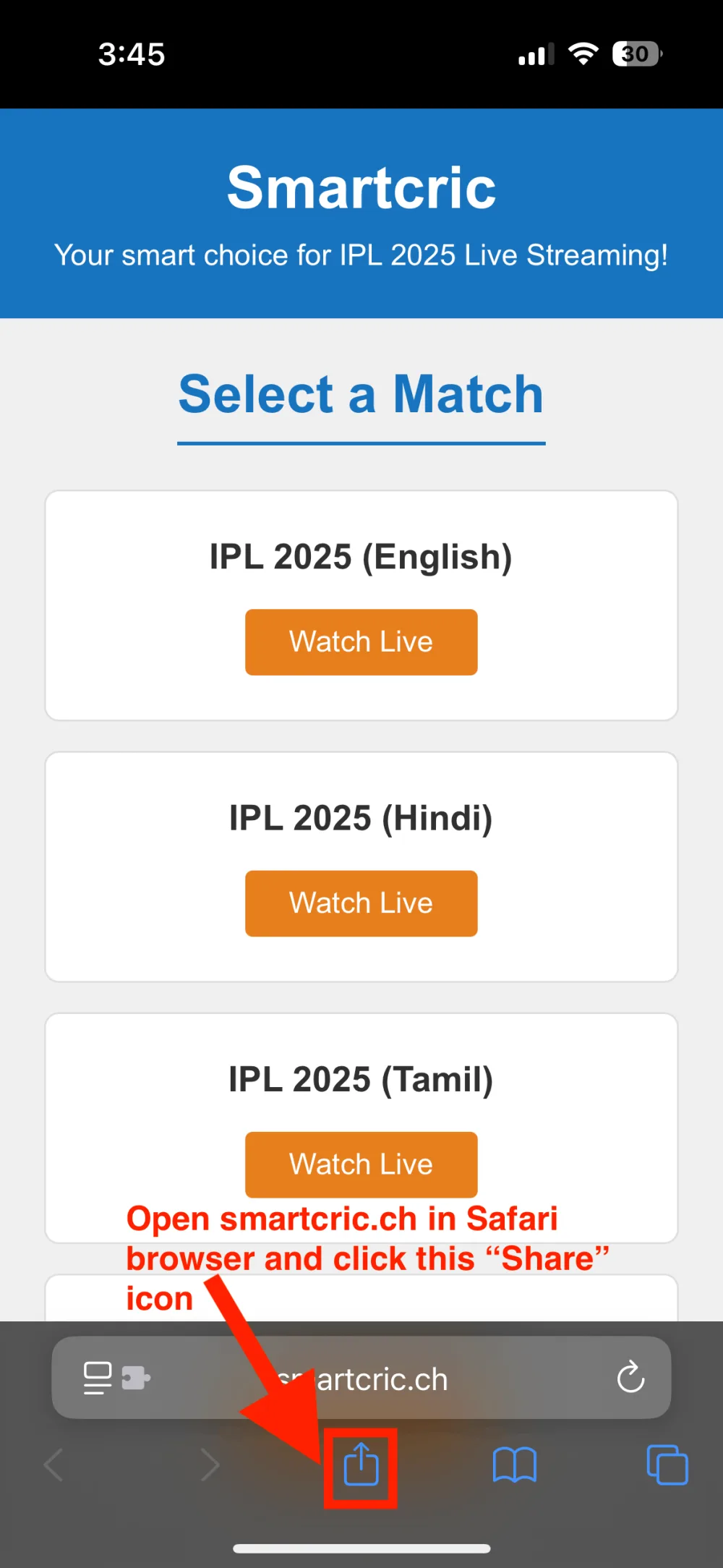
Visit smartcric.ch in Safari. Tap the Share icon at the bottom of the screen.
2Tap “Add to Home Screen”
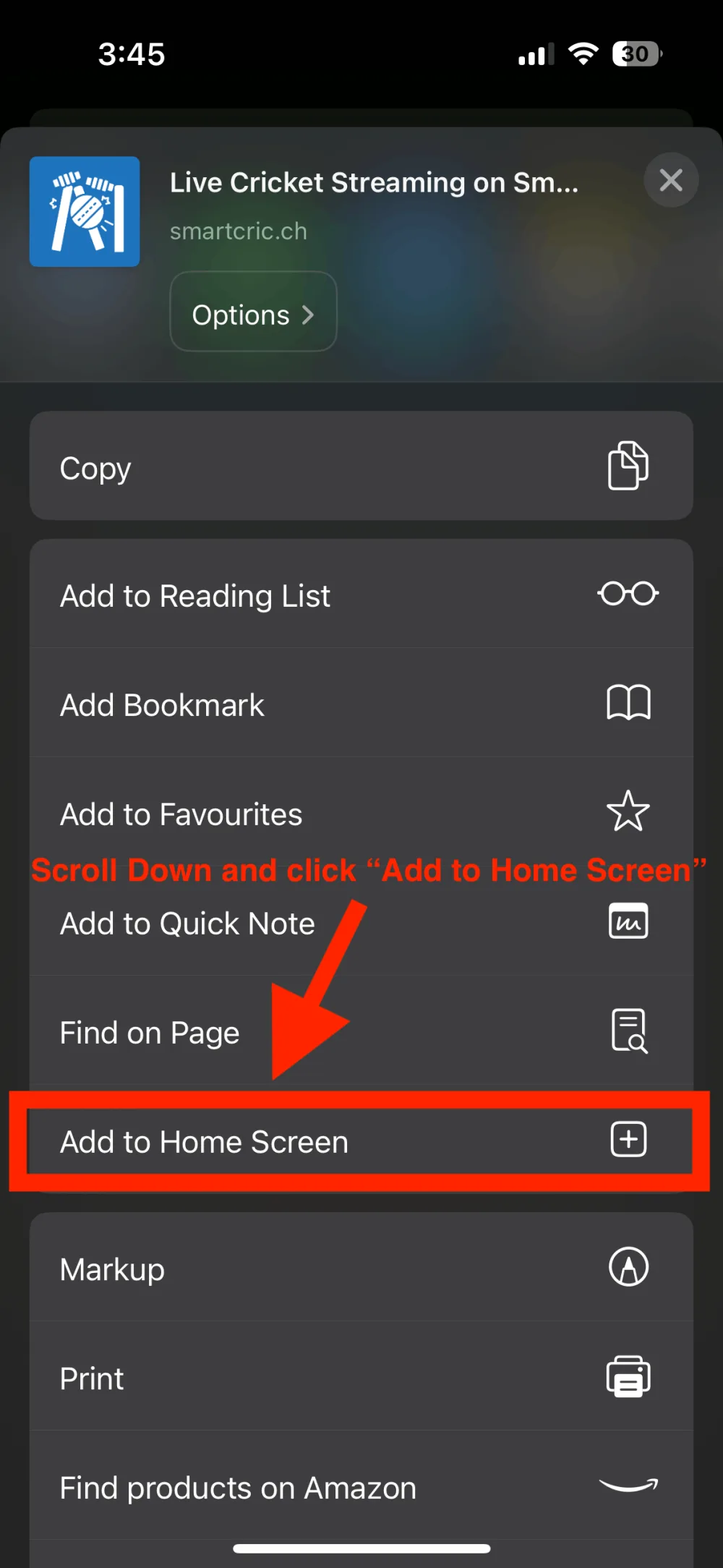
Scroll through the options and tap Add to Home Screen.
3Tap Add
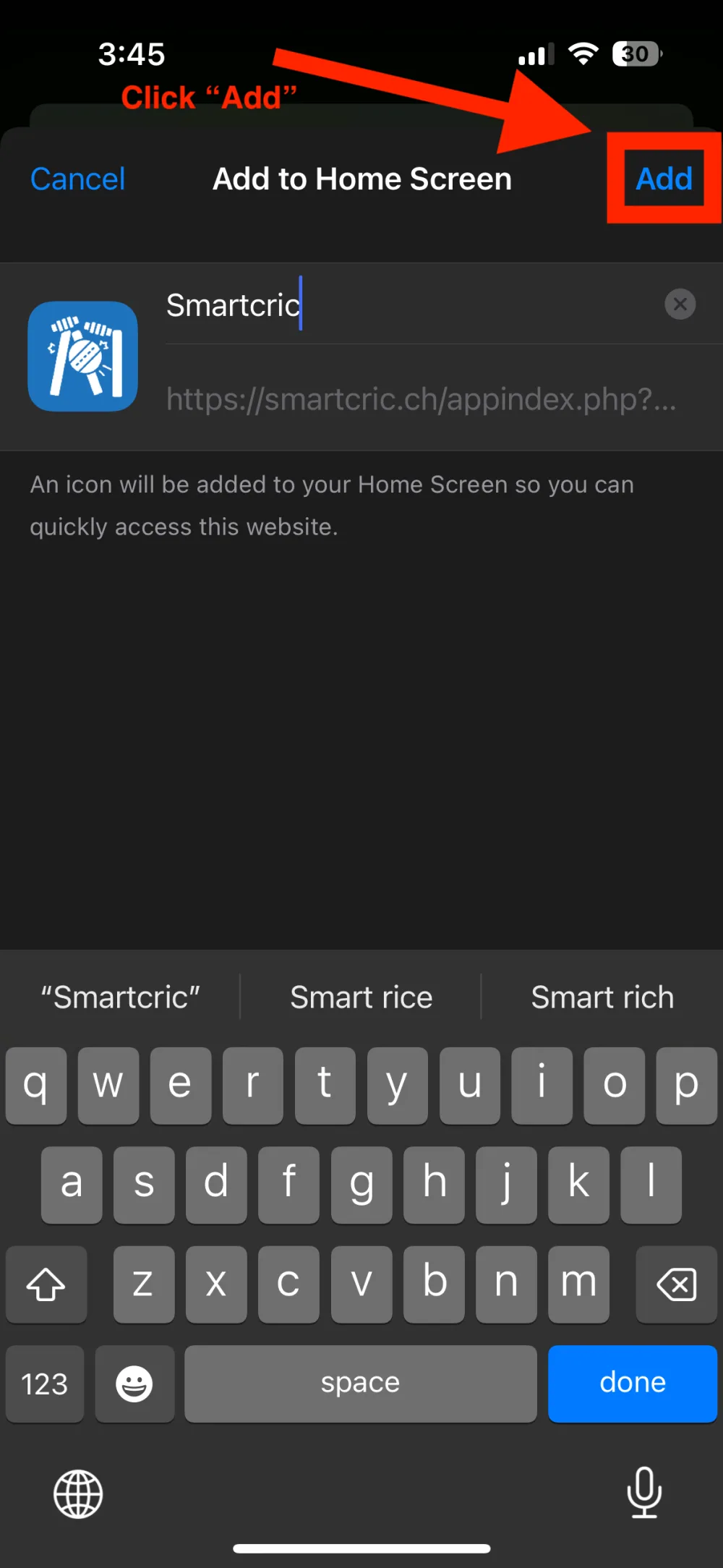
Tap Add in the top-right corner.
✓Done!
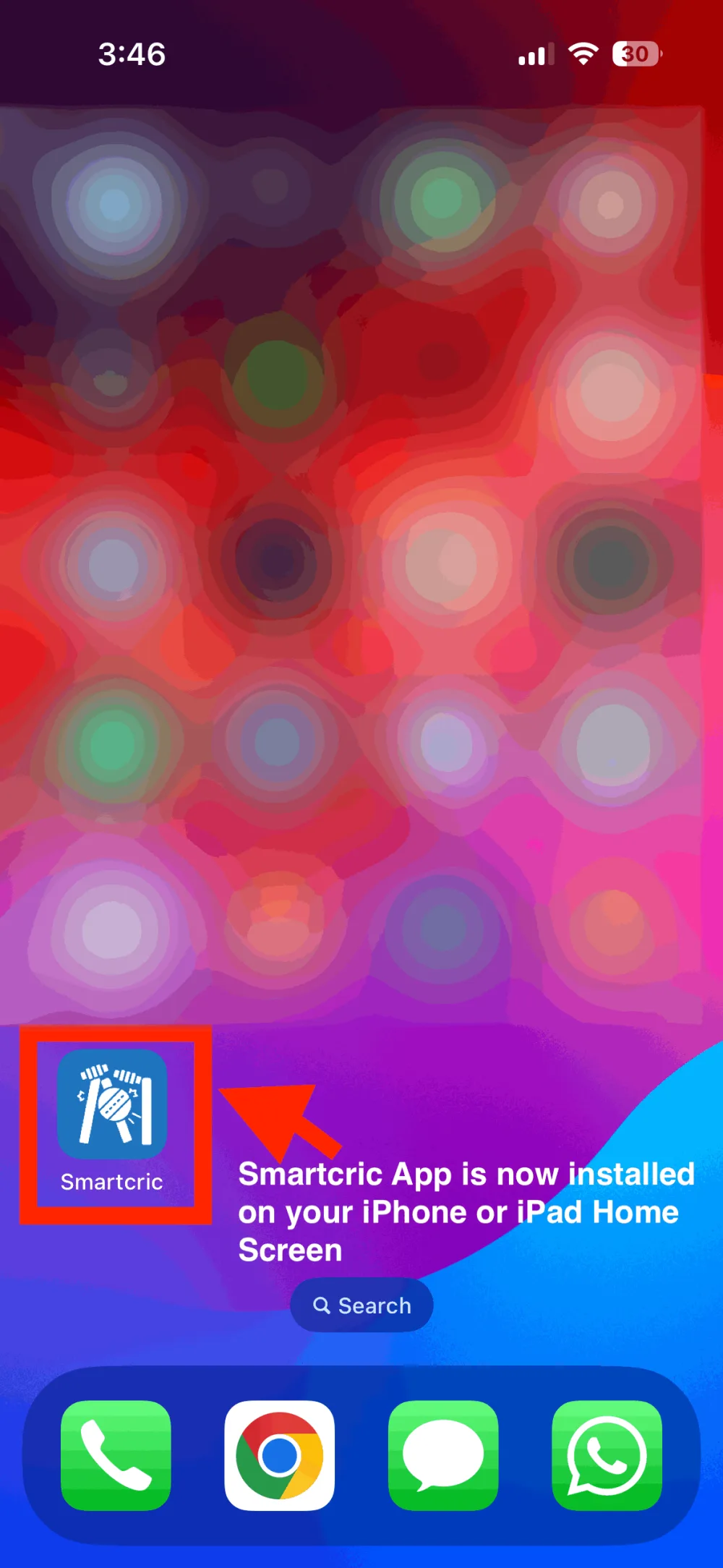
The Smartcric icon is now on your Home Screen. Tap it to start watching live cricket.